 Branzino Health
See the product before you sign up for anything.
Nine real screens from a working practice, in the order a day actually runs. No email, no demo call. When you've seen enough, the 30-day trial is one form away.
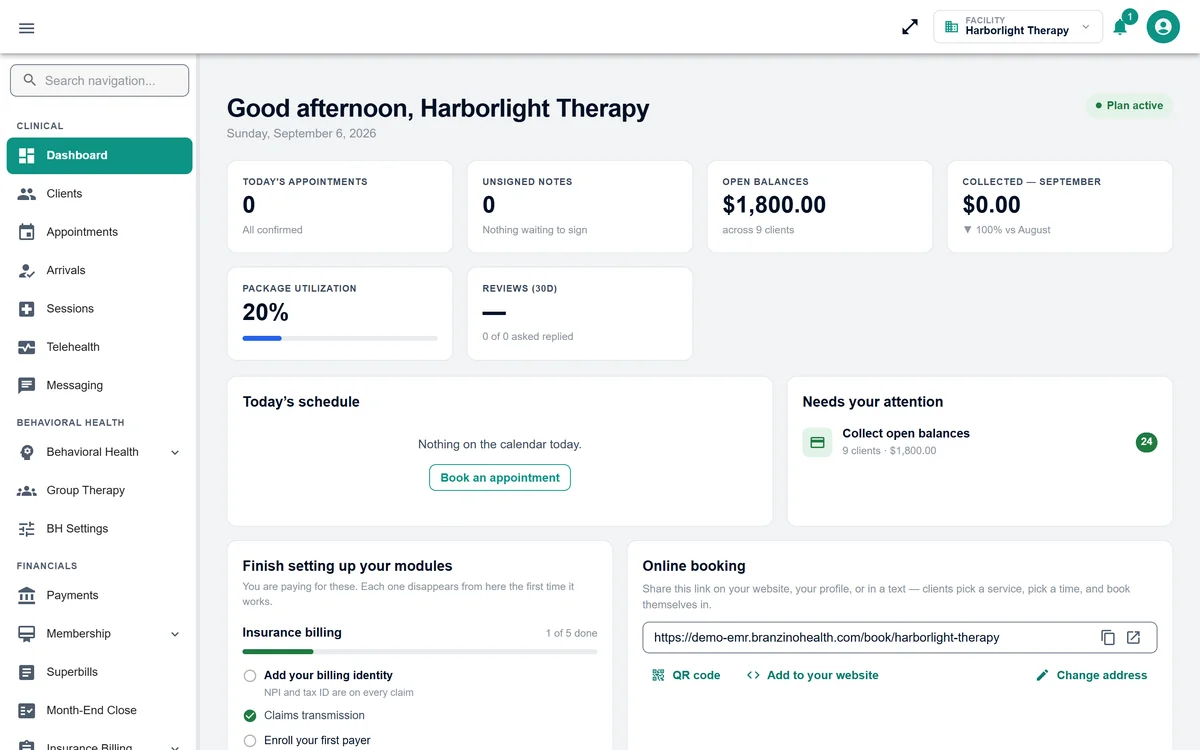
One screen tells you what needs doing
Today's appointments, notes waiting to be signed, open balances and what was collected this month — with the two or three things that need your attention called out. The online booking link your clients use lives here too.
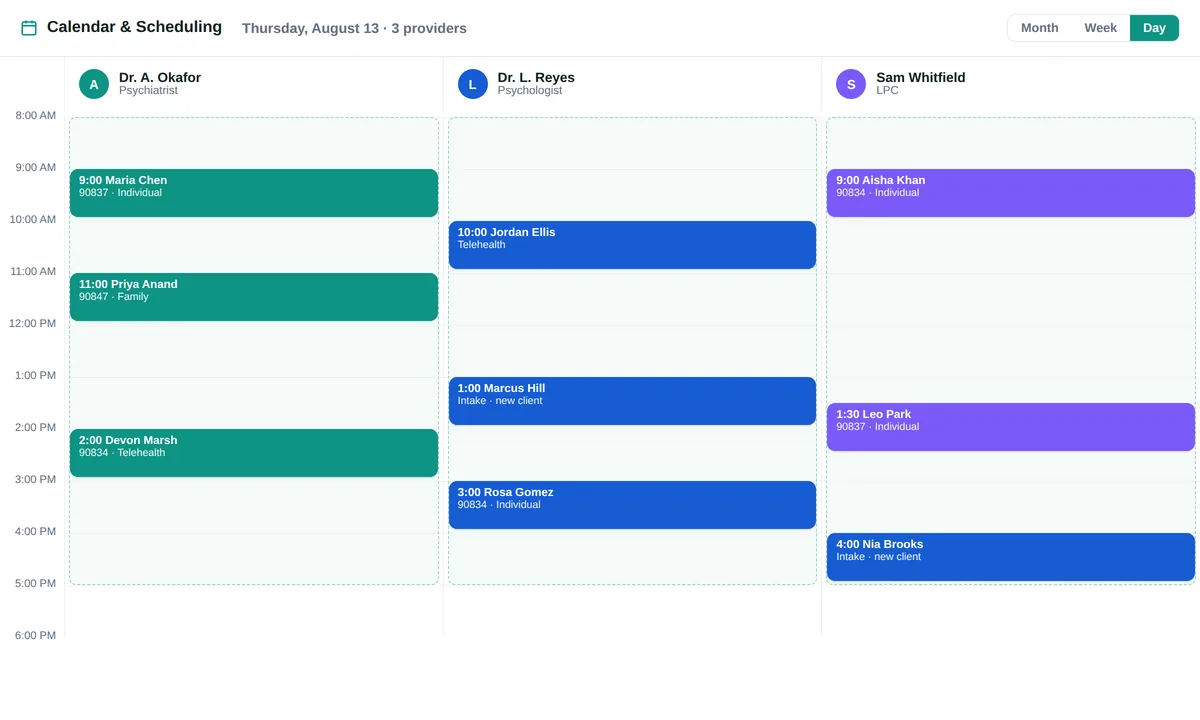
Every provider's day, side by side
Day, week and month views across the whole team, each person's working hours, office and telehealth visits on one calendar, and one-tap check-in that opens the visit. Clients book themselves from your public page and fill in intake before they arrive.
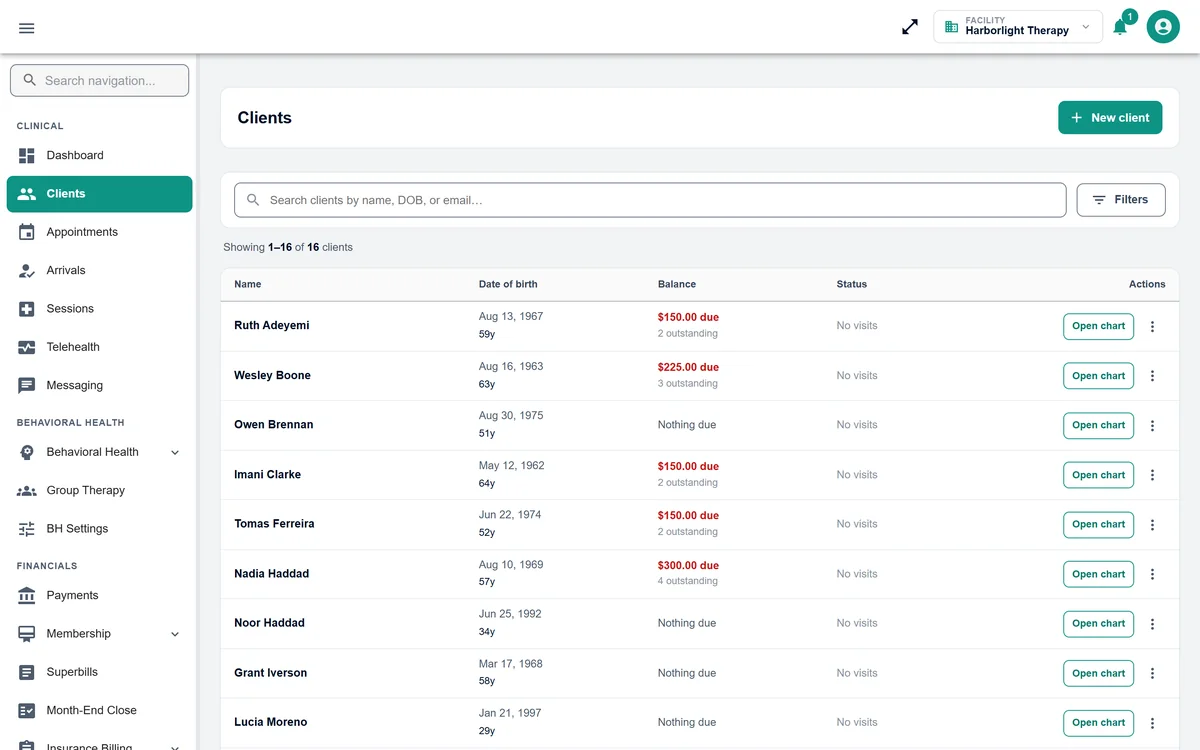
The whole list, with the money on it
Every client with their balance and outstanding visits in the same row, so the front desk sees who owes what before they reach the desk. Open the chart from here.
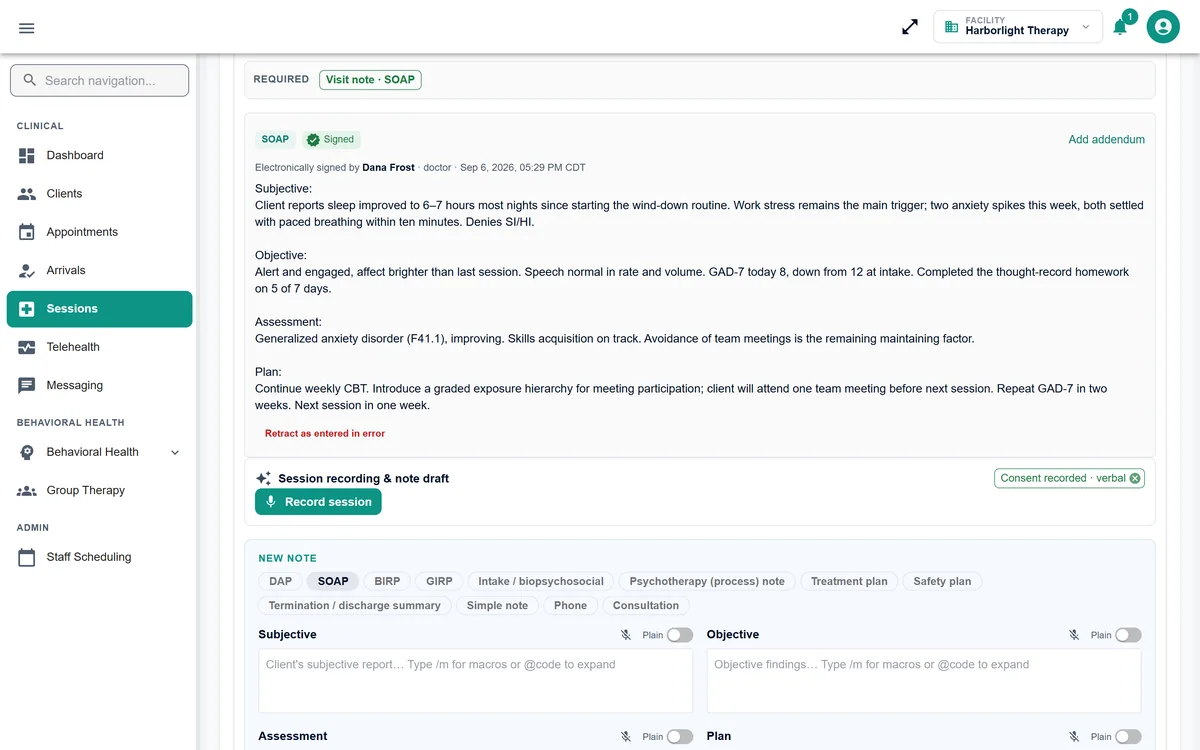
A visit, documented and signed
Structured notes with sign-and-file and an automatic timestamp, vitals and ICD-10 diagnoses where they apply, allergies front and centre, and charges raised from the same screen. Every session in the practice is in one list you can search by client, symptom or clinician.
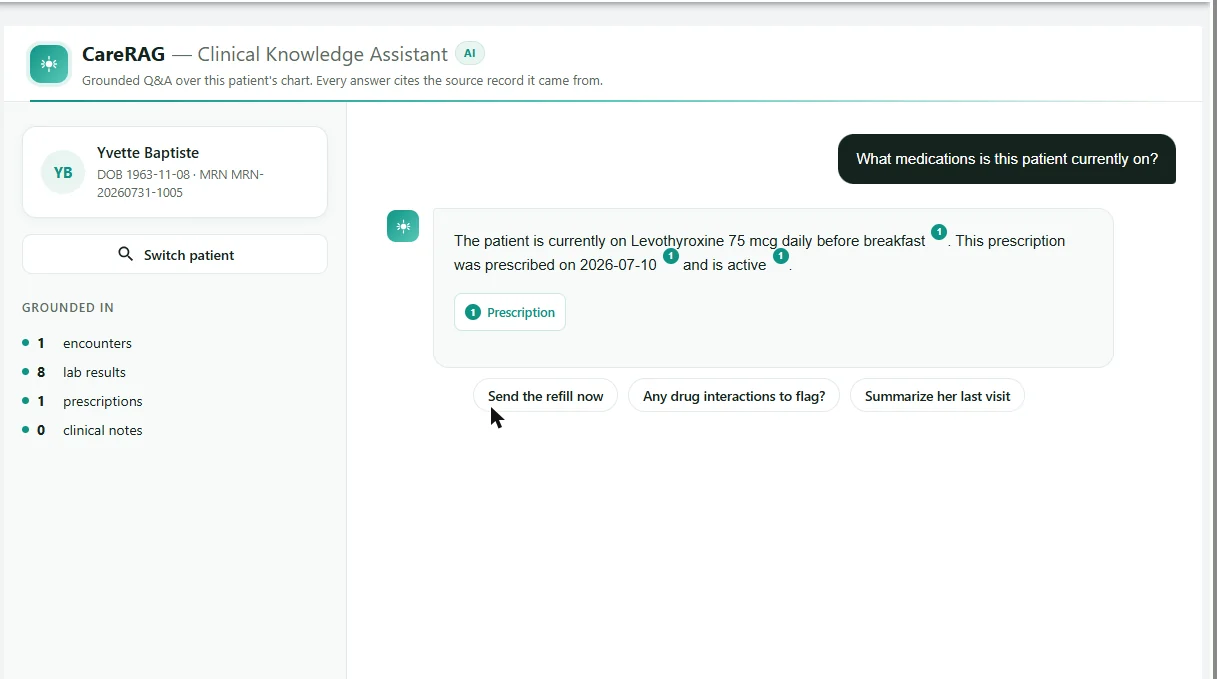
Ask the chart a question. Get an answer with receipts.
Plain-English questions about one client — what are we treating, what changed since last visit, any interactions to flag — answered only from that client's record, with every claim cited back to the source note, lab or prescription you can open.
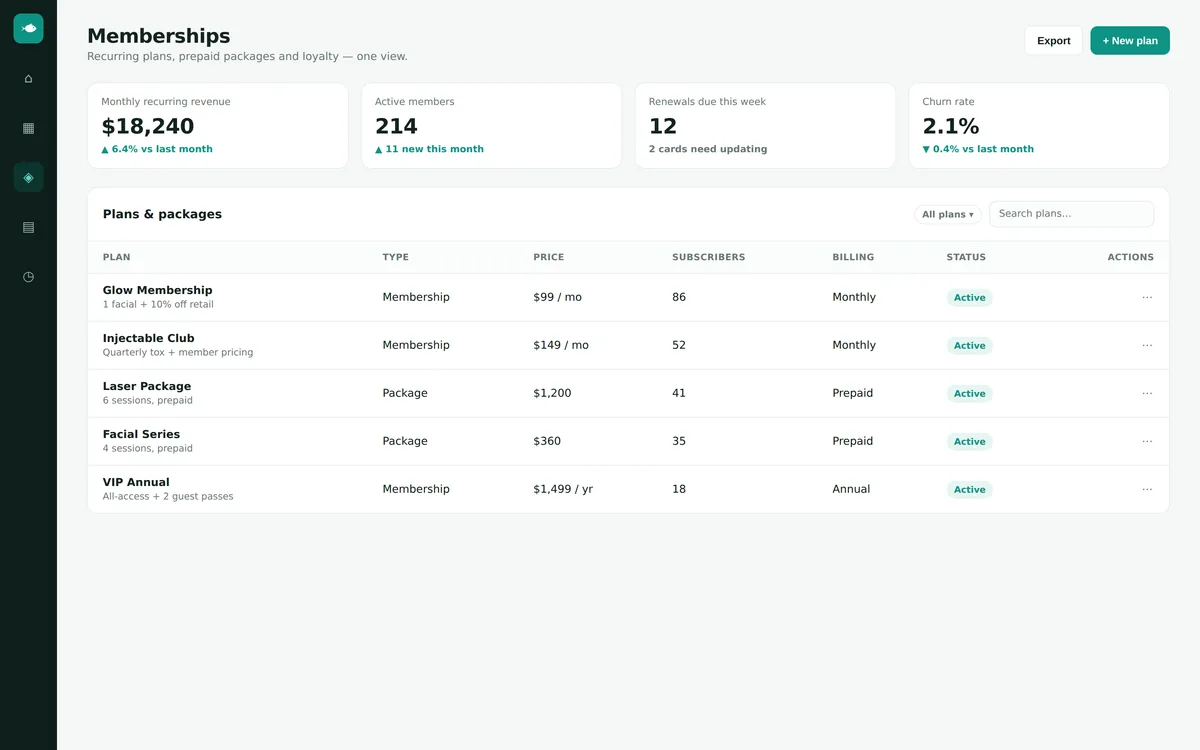
Get paid at the desk, not in 45 days
Card on file, prepaid packages that draw down per visit, monthly and annual memberships that renew themselves, superbills for out-of-network clients, and a month-end close that posts to QuickBooks or Xero. Recurring revenue, active members and renewals due, on one view.
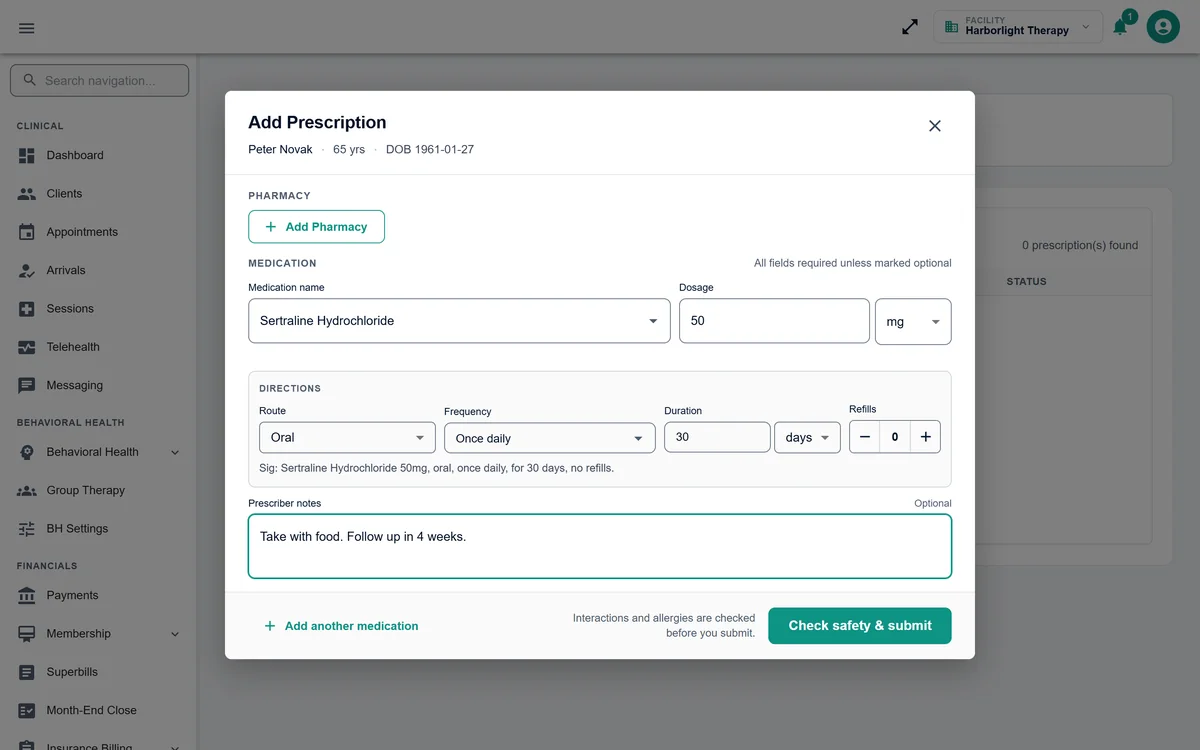
Prescribe from the chart, with allergies in front of you
Send to any pharmacy in the national directory without leaving the visit. Allergies are checked at the point of prescribing and the full medication history stays on the chart. A $10 per prescriber add-on — turn it on only for the people who prescribe.
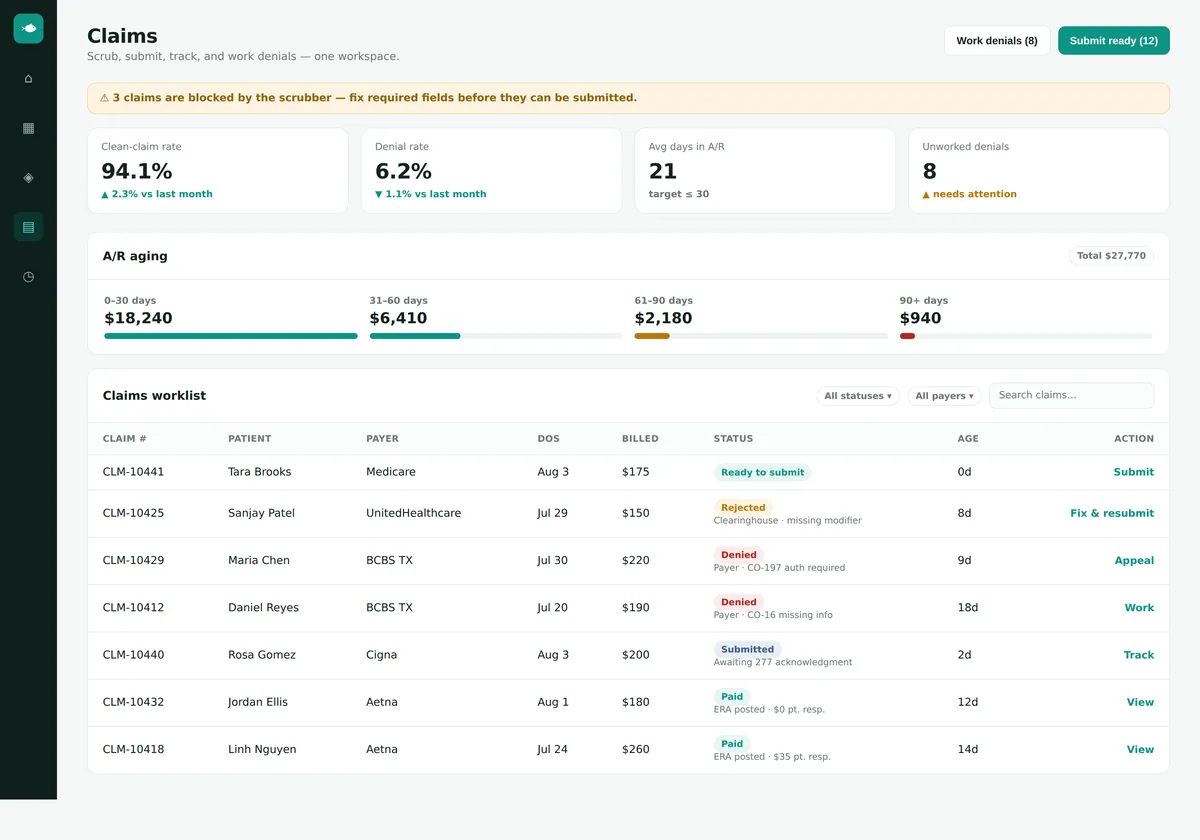
If you bill payers, the whole workflow is here
Real-time eligibility, a scrubber that catches missing modifiers before the payer does, one-click submission, ERA auto-posting, and a denial worklist with correct-and-resubmit or appeal. Clean-claim rate, denial rate and A/R aging at the top. $40 per provider, only if you need it.
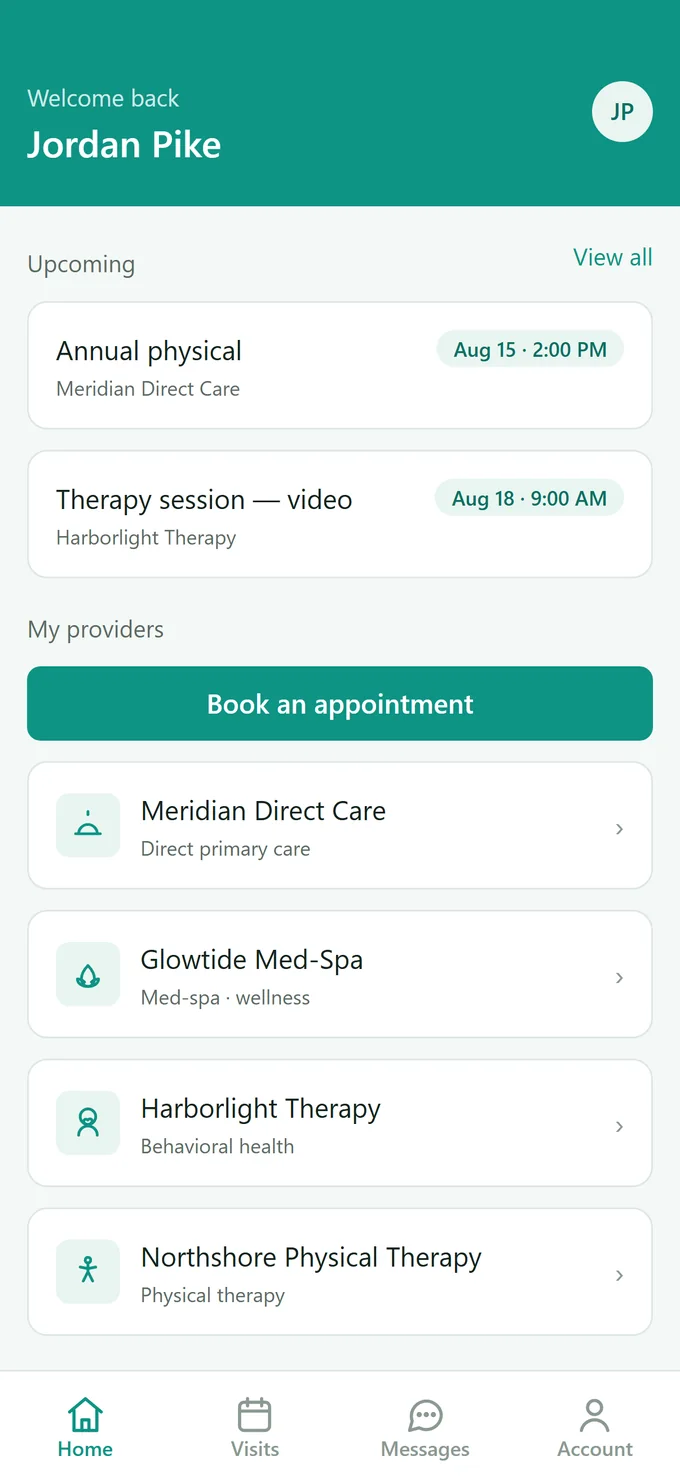
A portal patients will actually open
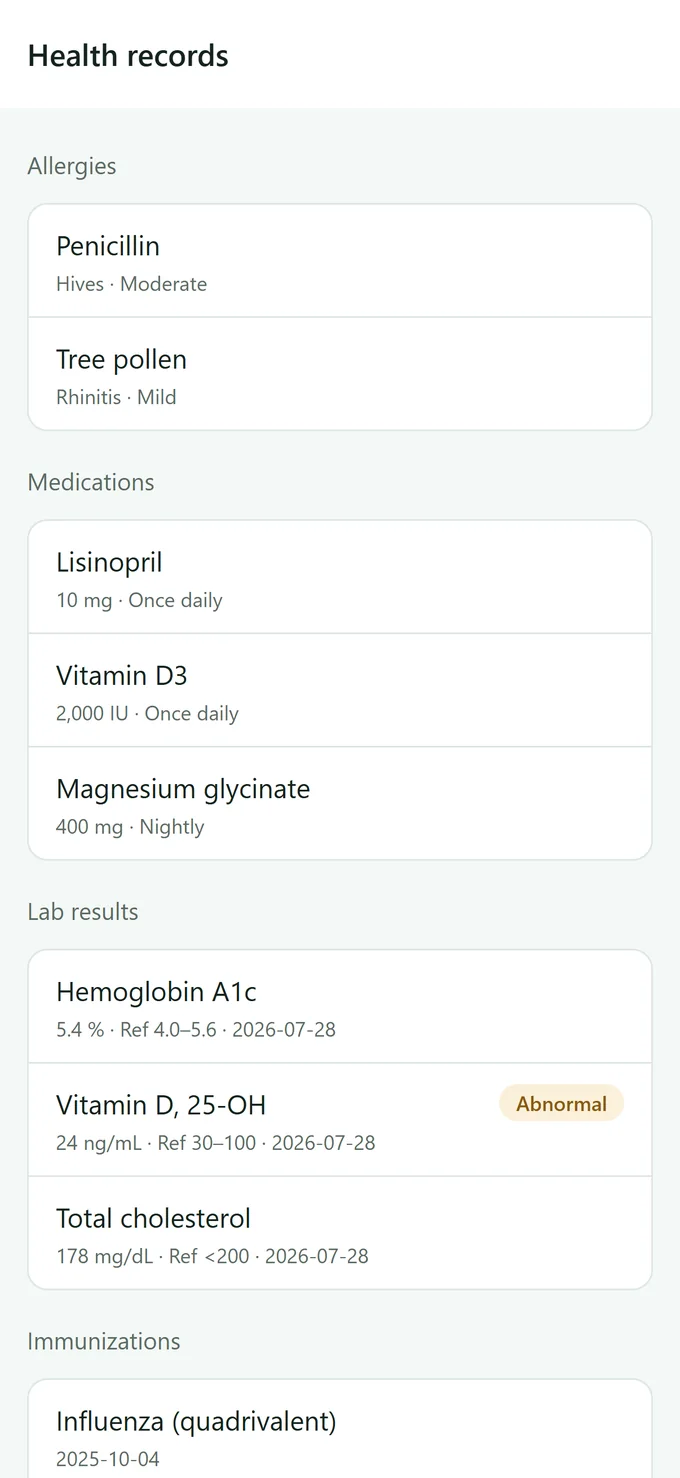
Every practice gets a web portal and a native Android app (iOS is in review), included. Patients book a real open slot, finish intake before they arrive, message the practice, join video visits, and see their records, results and receipts. More about the app →
Seen enough?
Two things people usually want to know at this point.
Are these real screens?
Yes — captured from a working Branzino practice set up with sample data, the same way a new trial practice is. Nothing is mocked up and nothing has been added in an editor beyond hiding the environment label.
What happens when I start the trial?
You fill in three fields, we email you a setup link, and you choose your practice type, time zone and password. The practice is live the moment that's done, with a catalog, intake forms and note templates for your type of practice already in place. 30 days, no card, and we'll migrate your data in the background.
Now see it with your own patients.
30 days free. No credit card, no sales call, and we'll migrate your data before you decide.