 Branzino Health
Branzino plays nicely with the tools you already use
Automate your practice with Zapier, connect your Zoho suite, post month-end straight to QuickBooks Online or Xero, and put the patient portal in your patients' pockets with a native Android app — iOS is in review.
A few of the 7,000+ apps you can reach through Zapier
These are apps on Zapier's side, not integrations we built — you wire them to Branzino with a Zap. Our own direct integrations are below.
Automate the busywork between systems
Trigger workflows in 7,000+ apps when things happen in Branzino — no code, no IT project.


Close the month, and the books post themselves
Connect your QuickBooks Online company or your Xero organisation, map Branzino's ledger lines to your own chart of accounts, and every hard close posts itself as one balanced journal — no CSV, no re-keying.

Wire Branzino into your Zoho suite
Connect through Zoho Flow and pass practice events to whichever Zoho apps you already run — CRM, Books, Campaigns or your own custom function.

Or skip the middleman entirely
Issue your practice an API key and call the same endpoints Zapier and Zoho use. Handy if you have a developer, a reporting stack or a tool nobody else supports.
The portal, native on Android
Patients and members book, message and see their records from a real app — not a clunky mobile website.
The iOS app is in review with Apple. Until it lands, iPhone patients use the same portal in their browser.
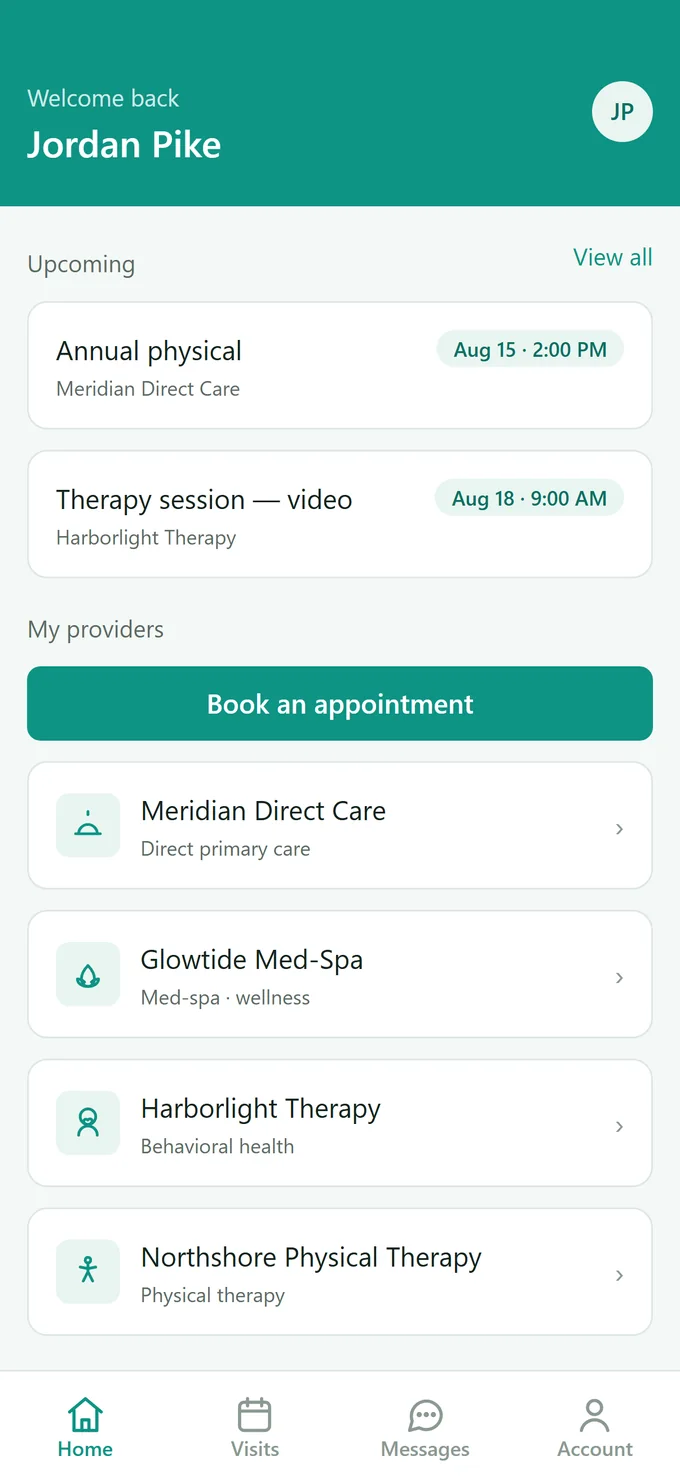
What patients actually see
Their visits, their messages and their records — in one app, on the phone they already carry.
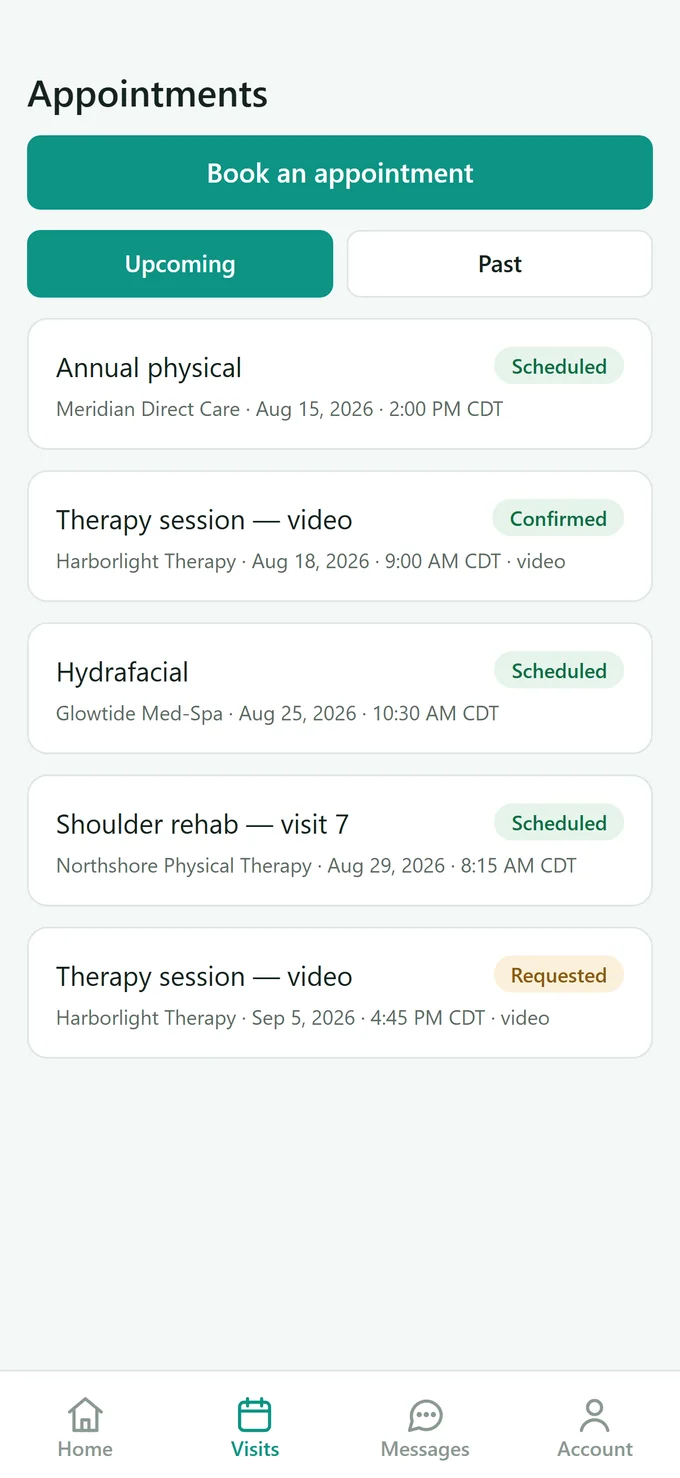
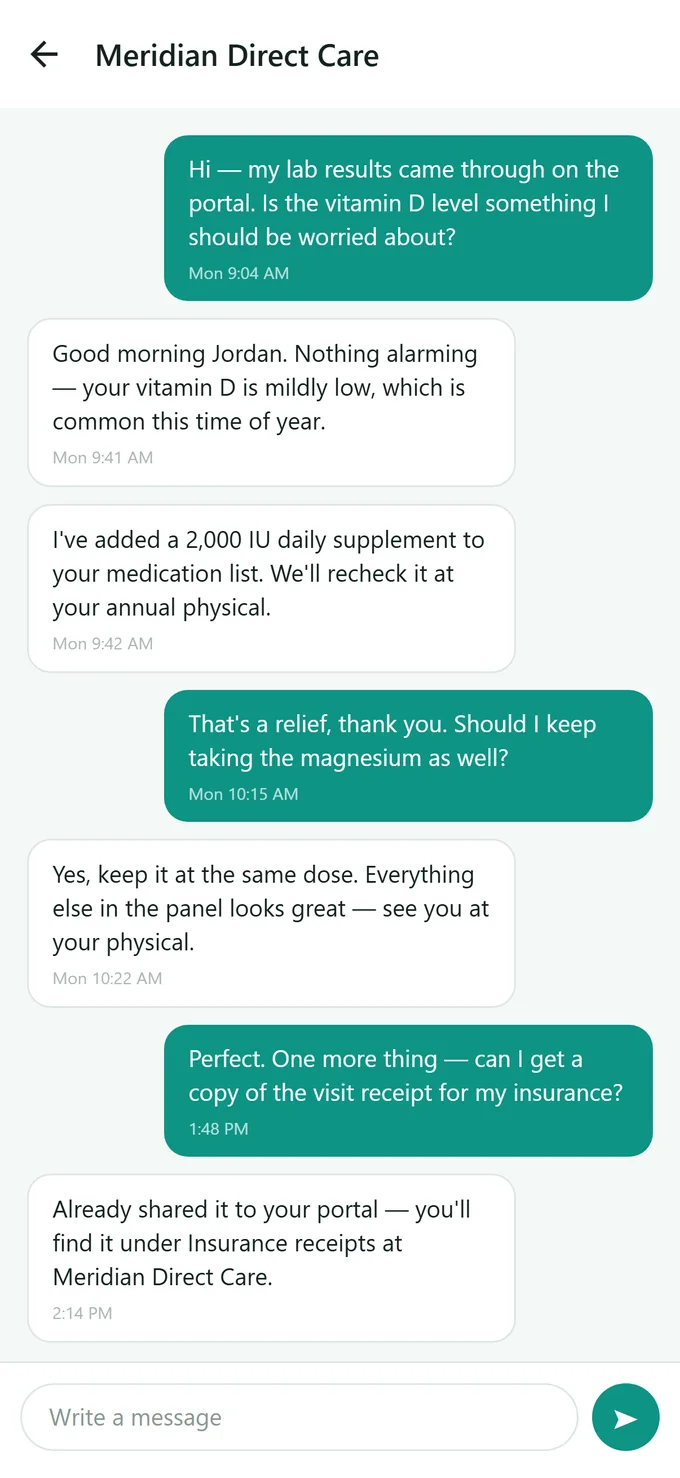
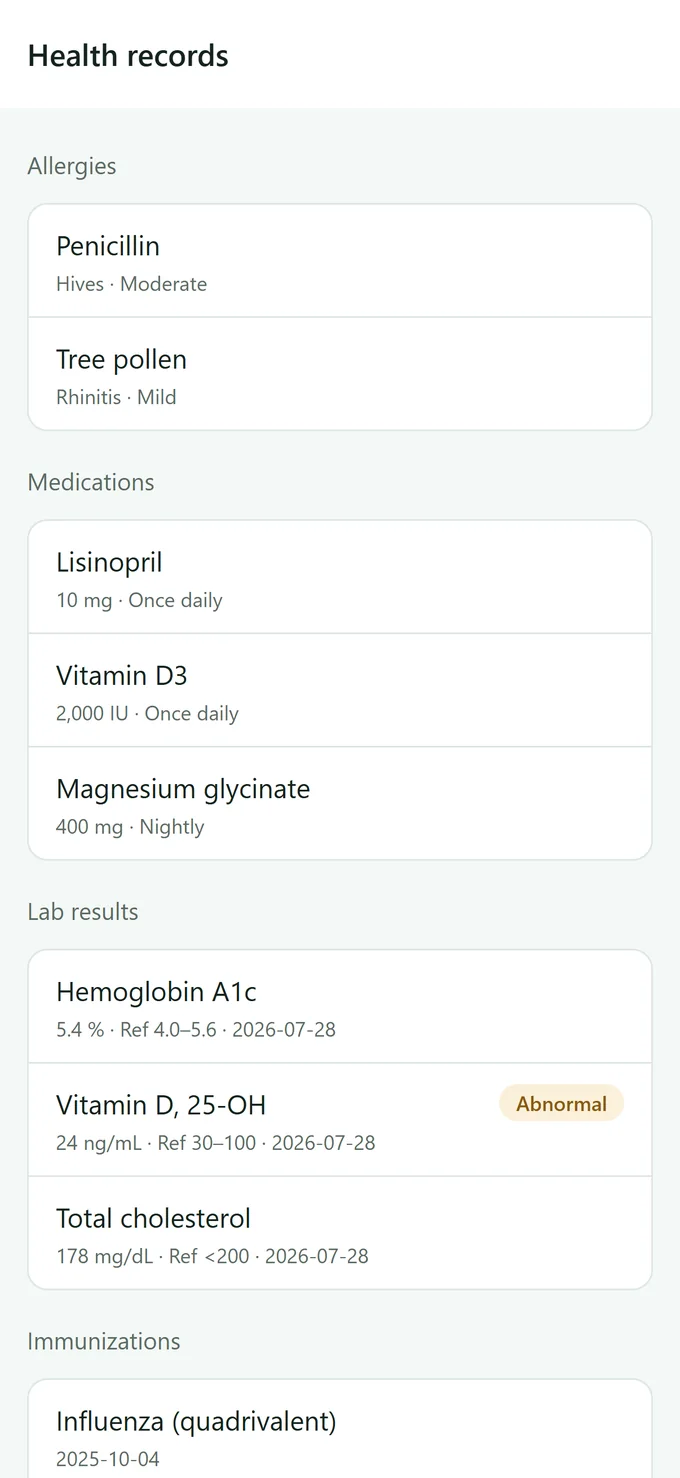
Included with every plan — patients download it free, and it carries your practice's branding.
Connected in three steps
Ask us to switch it on
Integrations start off. Tell us you want them and we enable them for your practice at no extra cost — a short check first, because sending data to an outside app takes it beyond our BAA.
Connect your account
Find Branzino Health in Zapier or Zoho, or connect QuickBooks or Xero from your admin settings, and sign in.
Pick a trigger and let it run
Choose what kicks things off — a new patient, a booked appointment, a paid invoice. It fires automatically from then on, and you can pause it any time.
What practices automate first
Welcome new patients
New patient in Branzino → add to your CRM and send a welcome email automatically.
Fill the team's calendar
New booking → drop it on the practice's Google Calendar so everyone sees the day at a glance.
Keep the books clean
Invoice paid → record it in Zoho Books or your own ledger without retyping a thing. (Month-end journals post to QuickBooks and Xero on their own.)
Alert the team
New booking or message → post to a Slack channel so the front desk sees it instantly.
Follow up after visits
Visit completed → add the patient to a review request or recall campaign.
Report without exports
New appointments and payments → append rows to a Google Sheet for live reporting.
Integration FAQs
Do integrations cost extra?
No. Zapier and Zoho connectivity, the accounting sync and the patient apps are all included with every Branzino plan — there is no integrations tier and no per-connection fee. You'll need your own Zapier, Zoho, QuickBooks or Xero account for that platform's side of the connection.
Is patient data safe when it leaves Branzino?
You control exactly which fields each workflow can touch, and every integration call is logged. Before sending protected health information to a third-party app, make sure that vendor will sign a BAA — we're happy to advise on a HIPAA-safe setup.
Do I need a developer to set this up?
No — the connections themselves are point-and-click. The one thing you can't do alone is the first step: integrations are switched off until we enable them for your practice, so ask us and we'll turn them on. After that, most practices have their first workflow running in under ten minutes.
Why aren't integrations on by default?
Because connecting an outside app sends your data somewhere our BAA doesn't reach. We'd rather have a two-minute conversation about which app you're connecting and what it will see than leave that switch on for everyone by default. It costs nothing and we don't drag it out.
Do you support Xero as well as QuickBooks?
Yes — both. When you hard-close a month, Branzino posts it to your connected QuickBooks Online or Xero organisation as a single balanced journal entry of summary totals. No patient names, no line-item detail. The close itself and its CSV export work whether or not you connect either one.
How do patients get the mobile app?
They download it free from Google Play — the iOS app is in review with Apple — and sign in with the portal invite your practice sends. iPhone patients can use the same portal in a browser in the meantime. Branding, bookings and messages all match your web portal.
I use a tool that isn't listed — can I still connect it?
Almost certainly. Zapier connects Branzino to more than 7,000 apps. If your tool isn't on Zapier, tell us what you need and we'll look at a direct integration.
Connect your practice in an afternoon
Start a free 30-day trial — no card, no sales call.